How to Find Stocks Before Everyone Talks About Them: 4 Signals
Four signals Wall Street watches before a stock gets popular: earnings-call bottlenecks, insider buys, hedge fund and Congress trades, and viral debates on social media. Each one takes a few taps in Barebone.
Barebone Research
·9 min read
Professionals do not find stocks by reading the news. By the time a story is everywhere, the move has happened. They watch four things that show up earlier:
What CEOs complain about on earnings calls
What executives do with their own cash
Where hedge funds and politicians are moving money
Stocks the internet is still arguing about instead of agreeing on
Each section below is two parts: why the signal works, then exactly where to find it in Barebone. None of them takes more than a minute.
1. Read what Big Tech complains about on earnings calls
Every quarter, the largest companies on earth tell you what they cannot get enough of. If that shortage limits their growth, they will pay more for it, and whoever sells it wins.
Months before memory stocks like Micron had a generational rally, Microsoft, Meta and Amazon had already called memory a bottleneck on their calls. Anyone reading the transcripts saw the demand before the price moved. We traced that exact chain in Big Tech's $700 billion AI capex and the memory bottleneck.
Ignore the headline beat or miss. That is priced in before the call starts. Listen for constraint language: "supply constrained," "capacity limited," "lead times," "we are investing heavily in." Then ask who sells that. One CEO saying it is a data point. Three CEOs in the same quarter is a signal.
2. CEOs buying their own stock with their own cash
Executives sell for a hundred reasons: taxes, a house, diversification, a divorce. They buy for one reason. They think the stock is going up, and nobody alive knows their company better.
Not every insider "buy" counts. Shares received as compensation are pay, not conviction. What you want is an open-market purchase: the executive wiring their own cash to a broker and buying at the same price you would.
Three things make it stronger: several insiders buying the same stock in the same month, seven-figure sizes, and buying right after a sharp drop. An insider buying 45% below the 90-day high is telling you the sell-off is wrong. See how Wall Street actually buys the dip for the framework behind that read.
3. Follow hedge funds and politicians into new positions
Hedge funds have research teams. Politicians have committee briefings. Both have to disclose their trades: funds through quarterly 13F filings, members of Congress through the STOCK Act.
One fund or one politician buying a stock is noise. Several unrelated buyers moving into the same industry at the same time means something is pulling them there, and that something is what you are looking for.
Focus on new positions. A fund that has owned Apple for ten years adding 2% is rebalancing. A fund that has never owned a semiconductor company suddenly opening three has a thesis. Then zoom out: instead of copying the trade, ask what is attracting all of them to that industry.
4. Social mentions, but read the comments
Retail attention moves prices. A stock going from 50 mentions a day to 5,000 will move whether the thesis is real or not. The problem is timing: by the time a stock is trending, you are usually the exit liquidity for whoever posted about it three weeks ago.
So skip the post and read the replies. Mention volume tells you attention is rising. Sentiment tells you where in the cycle you are. If 80% of posts are bullish, consensus has formed and you are late. If bulls and bears are still arguing, the crowd has not decided, and the opportunity may still be there.
One more filter: 400 mentions from 30 accounts is a few people spamming. 400 mentions from 300 accounts is a conversation.
Putting it together
Each signal on its own is useful. Stacked, they get dangerous.
A stock where the CEO just bought $2M of their own shares after a 40% drop, where two hedge funds opened new positions last quarter, and where X and Reddit are still arguing about whether it is dead money: that is a setup. It takes a Wall Street analyst a full day to assemble. In Barebone it is one screen.
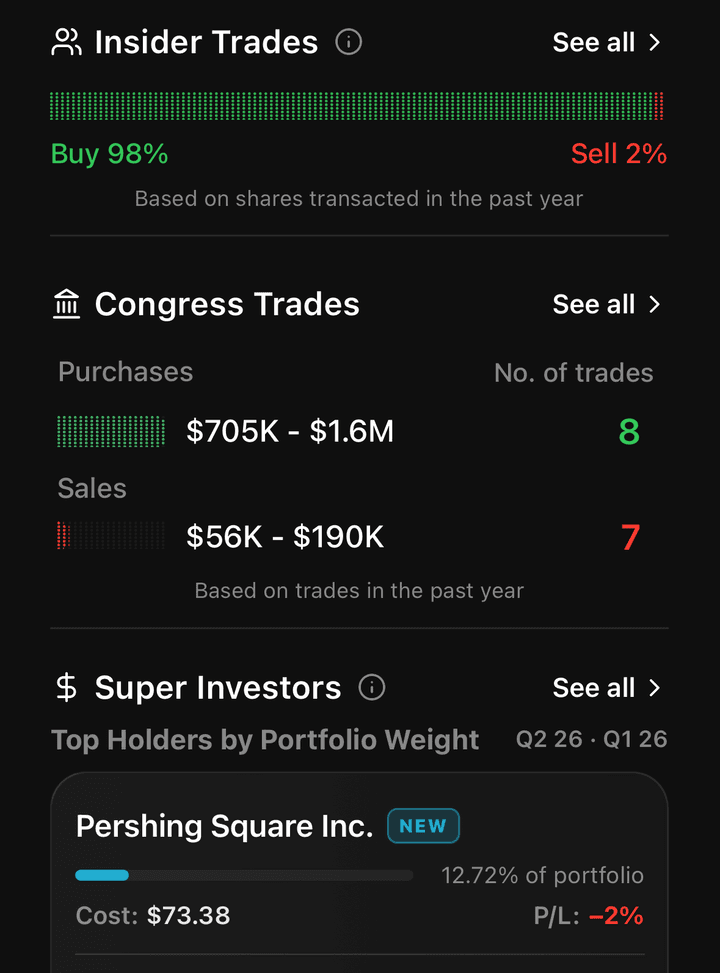
Open any stock and tap Smart Money. Insider trades, Congress trades and the biggest fund holders are on one page, already filtered. Or type the question on the Home tab and let the AI stack the signals for you.
12
Any stock, Smart Money tab: insiders, Congress and the biggest funds on one screen. Here insiders are 98% buying and Pershing Square just opened a new position.
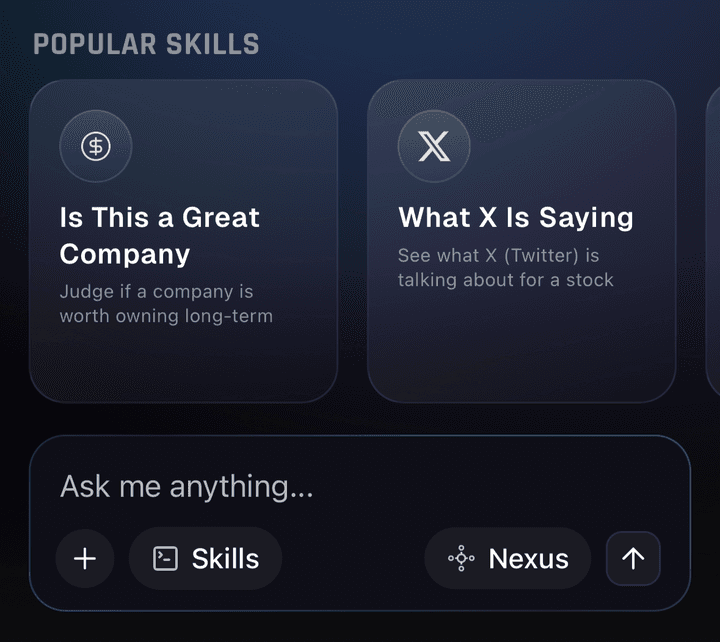
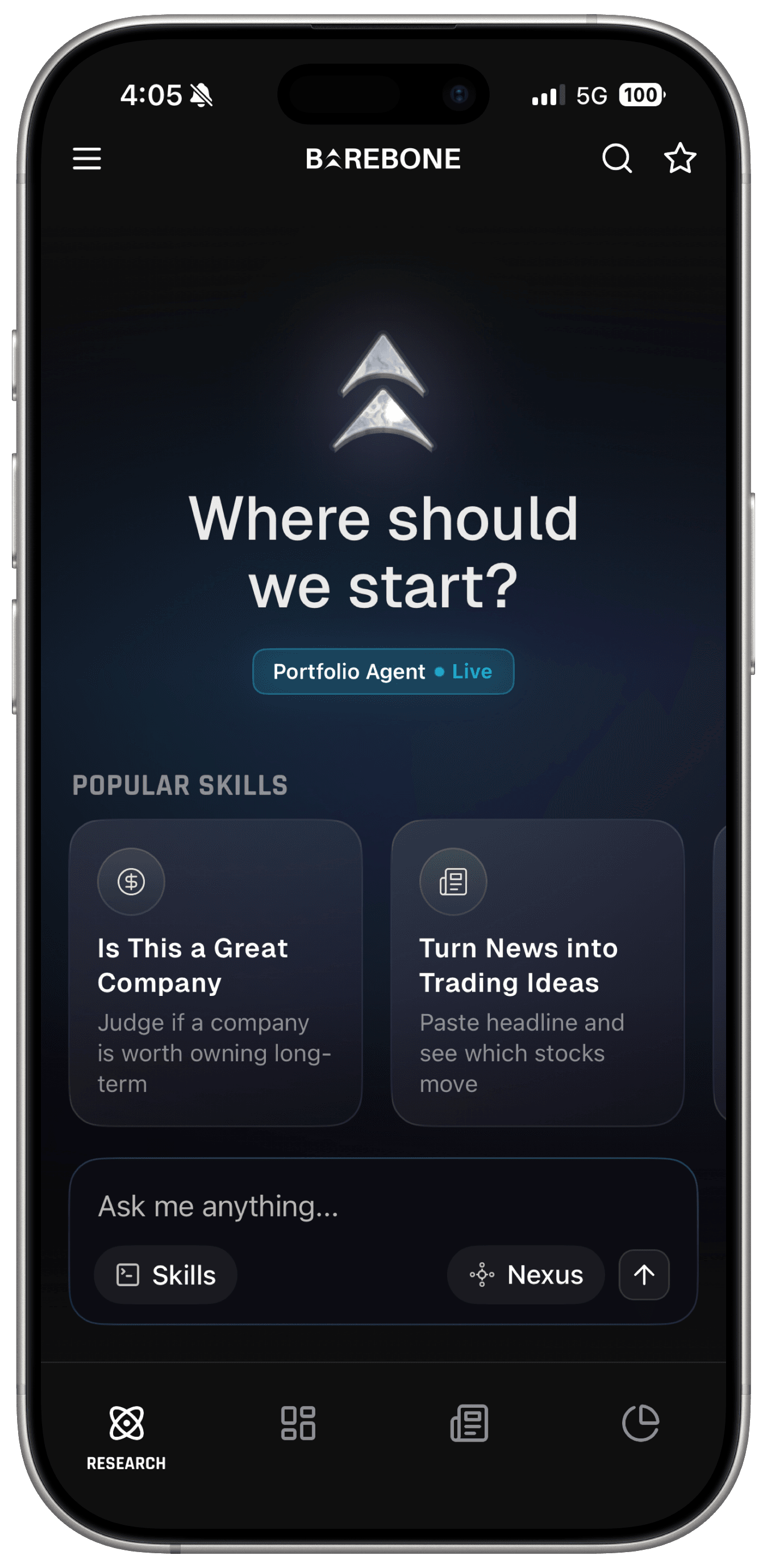
Or skip the taps: type the question on the Home tab and the AI runs the research for you.
Over 50,000 investors use Barebone, with more than $150 million in connected portfolios monitored by the AI. Download it below, search any stock, run any of the four signals, and when you find something, connect your brokerage so the AI can tell you how it fits with what you already own.
Activate Your AI Agentic Investment Research Terminal
$150M+connected
50,000+investors
Frequently Asked Questions
How do you find stocks before they become popular?
Watch the signals that appear before the story does. Read Big Tech earnings calls for supply constraints and find the suppliers. Track open-market insider buying, especially cluster buys after a drop. Follow new positions from hedge funds (13F filings) and members of Congress. Check social mention growth while sentiment is still split. Barebone puts all four in one app.
Is insider buying a good signal for stocks?
Open-market buying is. Executives sell for many reasons, but they buy with their own cash for one: they expect the stock to rise. Ignore shares received as compensation. The strongest setups are cash purchases, multiple insiders buying the same stock in the same month, and buying after a sharp drop. Barebone filters Form 4 filings to open-market activity only.
How do I find suppliers from an earnings call?
Skip the headline EPS number and search the transcript for constraint language: supply constrained, capacity limited, lead times, we are investing heavily in. Then ask who sells that. One CEO is a data point; three CEOs in the same quarter is a signal. In Barebone, open any stock, go to Earnings, open the transcript and search those words, or ask the AI to map constraints to public suppliers.
What do 13F filings and Congress trades tell you?
Hedge funds disclose holdings quarterly through 13F filings and members of Congress disclose trades under the STOCK Act. One buyer is noise. Several unrelated buyers moving into the same industry at once means something is pulling them there. Focus on new positions rather than rebalancing, then ask what is attracting all of them to that sector.
How do you read social media stock sentiment properly?
Mention volume tells you attention is rising. Sentiment tells you where in the cycle you are. If 80% of posts are bullish, consensus has formed and you are late. If bulls and bears are still arguing, the crowd has not decided yet. Also compare accounts to mentions: 400 mentions from 30 accounts is spam, from 300 accounts it is a conversation. Barebone shows both for X and Reddit.
Is Barebone telling me what to buy?
No. Barebone is a research and analysis tool, not a financial advisor. It surfaces earnings transcripts, insider filings, 13F and congressional disclosures, and social sentiment in one place, already filtered, with an AI you can question in plain English. Whether a setup fits your goals and risk tolerance is your decision.
Barebone AI is a research and analysis tool, not a financial advisor or broker. Nothing here is investment advice.
Share this article:
Disclaimer · Not Financial Advice
The content on this page is for informational and educational purposes only. It does not constitute financial, investment, legal, or tax advice, and is not a recommendation, offer, or solicitation to buy or sell any security or to adopt any investment strategy. Any securities or strategies mentioned are for illustration only. Market data may be delayed or inaccurate. Past performance is no guarantee of future results, and all investing involves risk, including the possible loss of principal. Barebone AI is not a registered investment adviser or broker-dealer. Always do your own research and consider consulting a licensed financial professional before making investment decisions.